Jaksta Music Miner for Windows5.0.1.54
Publisher Description
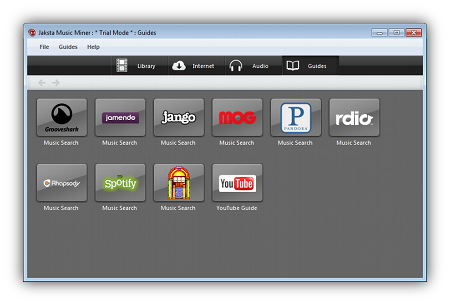
Jaksta Music Miner for Windows captures and tags MP3s from popular audio and video web sites (like Pandora and YouTube), automatically. Just open Jaksta Music Miner and turn on "internet monitoring". Then go out on the web and play a song or video. Jaksta Music Miner will download the audio, often up to 10x faster than real time. Adding the audio to iTunes happens with the click of one button. Jaksta will automatically convert the audio file to many popular formats - to enjoy on your favorite device. Jaksta Music Miner supports sits like Grooveshark, Last.FM, YouTube, Rhapsody, Jango and many more audio sites. As long as the site doesn't encrypt their audio stream Jaksta will be able to capture the audio.
Jaksta Music Miner is great for discovering new music or enjoying your music offline.
About Jaksta Music Miner for Windows
This Audio File Recorders program is available in English. It was last updated on 29 September, 2026. Jaksta Music Miner for Windows is compatible with the following operating systems: Mac, Windows.
The company that develops Jaksta Music Miner for Windows is Jaksta Technologies Pty Ltd. The latest version released by its developer is 5.0.1.54. This version was rated by 1 users of our site and has an average rating of 4.0.
The download we have available for Jaksta Music Miner for Windows has a file size of 17.8 MB. Just click the green Download button above to start the downloading process. The program is listed on our website since 2014-06-12 and was downloaded 110 times. We have already checked if the download link is safe, however for your own protection we recommend that you scan the downloaded software with your antivirus. Your antivirus may detect the Jaksta Music Miner for Windows as malware if the download link is broken.
How to install Jaksta Music Miner for Windows on your Windows device:
- Click on the Download button on our website. This will start the download from the website of the developer.
- Once the Jaksta Music Miner for Windows is downloaded click on it to start the setup process (assuming you are on a desktop computer).
- When the installation is finished you should be able to see and run the program.
Program Details
System requirements
Download information
Pricing
Version History
version 5.0.1.54
posted on 2014-06-12
Updated as part of a series 5 update. Improved recording capabilities, many accessibility enhancements and several bug fixes. Added 16 and 32 audio bit rates to conversion settings. Dropbox, SkyDrive and Google Drive integration. Improved support for handling various playlists types.
version 5.0.0.89
posted on 2013-05-10
OSX Mountain Lion compatible, Fixed Help URL, Fixed Sparkle updates, Fixed Tooltips, Fixed status display, New demo mode.
